Unified Server Dashboard
See every server, its status, uptime, ports, and latest activity from one Windows desktop app.
Run dedicated game servers on Windows without spending your night in command prompts.
Install, update, monitor, and troubleshoot dedicated game servers from one Windows desktop app, without bouncing between SteamCMD, scripts, firewall settings, and log folders.
What WindowsGSH does
WindowsGSH is built for admins who currently bounce between SteamCMD, scripts, firewall panels, log folders, and server config files.
See every server, its status, uptime, ports, and latest activity from one Windows desktop app.
Install and update servers using SteamCMD, standalone tools, Java workflows, or module-defined installers without writing scripts.
Watch live output, search recent logs, pause scrolling, copy visible text, and troubleshoot without digging through folders.
Track process state, CPU, memory, uptime, query response, and crash history so you know what is actually running.
Show game, query, peer, web, and RCON ports alongside Windows Firewall checks, so connection problems are easier to spot.
Protect server secrets with Windows user encryption and avoid storing passwords in plaintext config files where possible.
Publish status panels, send webhook alerts, show logs, and let trusted admins use Discord commands when you choose to enable them.
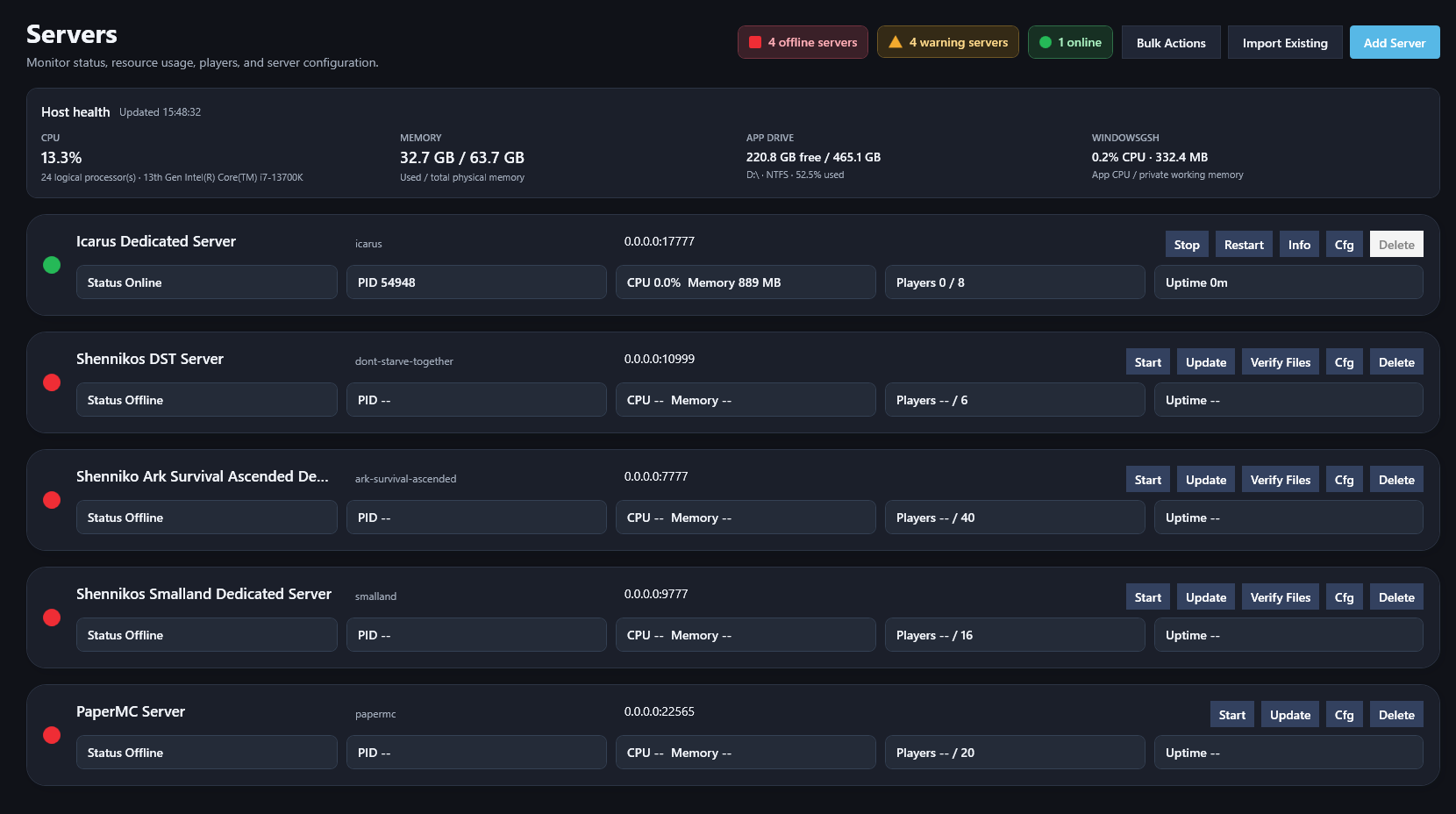
Preview screens
Manage servers, consoles, modules, networking, diagnostics, and optional Discord integration from one Windows desktop app.
Server modules
This list is refreshed from GitHub and ordered by stars. Review each repository and its status before importing executable module code.
Workflow
Download the preview build when it is available. WindowsGSH is packaged as a self-contained Windows app, so you should not need a separate .NET install.
Choose a module, install a new dedicated server, or import an existing server folder when a matching WindowsGSH module is available.
Start, stop, restart, update, inspect logs, check ports, review health, and gather diagnostics from one Windows-focused interface.
Module system
Modules add game-specific installation, startup, update, query, and configuration behaviour without requiring a new WindowsGSH build.
Discord integration
WindowsGSH can run an optional local Discord bot while the desktop app is open. It can post status panels, send webhook alerts, and answer admin-gated commands without exposing control to everyone in the server.
Post a dashboard panel and per-server status panels that WindowsGSH updates in place while the app is running.
Send start, stop, restart, update, backup, crash, and public-IP change alerts to a global webhook or server-specific webhook.
Use Discord commands for status, server lists, stats, logs, and permission checks. Remote control commands are experimental and disabled by default.
Discord remote control is off by default. If enabled, destructive commands such as start, stop, restart, update, backup, RCON send, and stop-all require configured Discord admin IDs.
Download
Download current builds and read release notes on GitHub.
Documentation
The GitHub wiki is the source of truth for installation, server management, modules, security, networking, and troubleshooting.
Install WindowsGSH and add your first server.
Read guide →Configure, update, restart, and monitor dedicated servers.
Read guide →Install modules and understand their source and trust information.
Read guide →Use logs, diagnostics, support bundles, and readiness checks.
Read guide →Handle secrets, remote access, firewall rules, and trusted modules.
Read guide →Build and test JSON or C# modules for WindowsGSH.
Read guide →Community
WindowsGSH grows around stability reports, module needs, awkward setup flows, and the maintenance work that shows up after midnight.
Source code, releases, issues, and roadmap work for WindowsGSH.
github.com/WindowsGSH/WindowsGSH ->Report bugs, request modules, and share setup problems that need better diagnostics.
Open an issue ->Ask questions, discuss modules, and meet other WindowsGSH server owners.
Join the community →WindowsGSH is free and open source. Support development and appear here.
Become a sponsor